
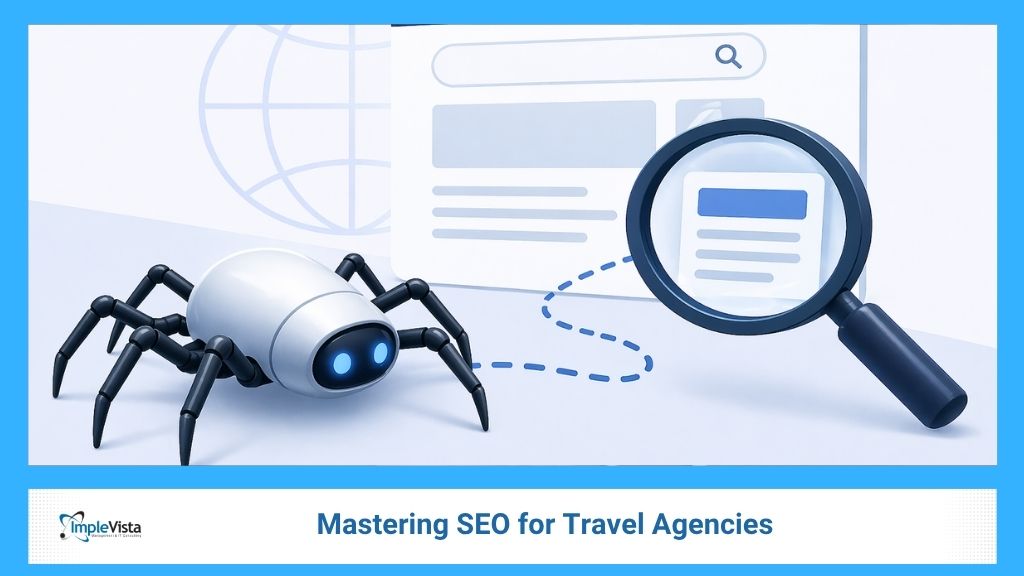
Understanding what is a web crawler and how these bots navigate the complex web of links is the cornerstone of modern digital marketing. If the search engine can’t find you, the customer never will. As a leading Best Digital Marketing Company in Bangladesh, we’ve seen firsthand how technical oversights in the crawling phase can sabotage even the most brilliant content strategies.
In this comprehensive guide, we will pull back the curtain on the search engine crawling process, explore the technical mechanics of how Google crawls websites, and provide actionable strategies to ensure your site is a top priority for these digital bots.
What is a Web Crawler?
At its most basic level, a web crawler (also known as a spider, a bot, or an ant) is a software program designed to browse the World Wide Web systematically. Their primary mission is to “read” the content of every webpage they encounter and follow the links on those pages to find new content.
Think of web crawlers as the cartographers of the internet. They don’t just “see” a website; they map the relationships between pages, determine the hierarchy of information, and feed that data back to a central index. Without them, search engines would be static directories, unable to keep up with the lightning-fast changes of the modern web.

Different Types of Crawlers
While we often talk about Googlebot, there are many different types of bots operating simultaneously:
- Search Engine Bots: Like Googlebot, Bingbot, and Yandex Bot. Their goal is to index the web for public search.
- Commercial/SEO Crawlers: Tools like Ahrefs, SEMrush, and Screaming Frog use their own crawlers to provide marketers with data.
- Copyright Bots: These scan the web for intellectual property theft or unauthorized use of images/videos.
- Malicious Crawlers: Scrapers used for content theft or finding security vulnerabilities.
The Search Engine Crawling Process: A Step-by-Step Breakdown
The search engine crawling process is a continuous, recursive cycle. It isn’t a one-time event where a bot visits your home page and leaves. Instead, it is a highly calculated operation that prioritizes efficiency and freshness.
Step 1: The Seed List and Discovery
It all starts with a “seed” list of URLs. These are usually high-authority websites and previously crawled pages. From these seeds, the web crawlers begin their journey. When they land on a page, they look for <a> tags—links leading to other pages. This is why Internal Linking Strategy is so critical. If a page isn’t linked from anywhere, it becomes an “orphan page,” invisible to the crawlers.
Step 2: The Crawl Queue (Prioritization)
Search engines don’t have infinite resources. They must decide which pages to visit first. This is managed by the “Crawl Queue.” Factors that influence your place in the queue include:
- Popularity: High-traffic sites are crawled more frequently.
- Freshness: Pages that update often (like news sites) get more bot attention.
- Authority: Sites with high-quality backlinks are viewed as more important.
Step 3: Fetching and Rendering
Once a URL is picked from the queue, the bot “fetches” the HTML code. Modern web crawlers have evolved significantly; they no longer just read text. They now “render” pages, executing JavaScript to see exactly what a human user would see. This is vital for modern web apps and dynamic content.
Step 4: Extracting and Following Links
As the bot reads the content, it extracts every outgoing link. These new URLs are added back to the Crawl Queue, and the cycle repeats. This is how a single bot can discover millions of pages by simply following the “digital breadcrumbs” left by webmasters.

How Google Crawls Websites: Meet Googlebot
Googlebot is the most famous of all web crawlers, but it isn’t just one single program. It is actually a massive distributed system of computers around the world. Understanding how Google crawls websites specifically can give your business a massive edge.
Google uses two main types of crawlers:
- Googlebot Desktop: Simulates a user on a desktop computer.
- Googlebot Smartphone: Simulates a user on a mobile device.
Since 2019, Google has moved to Mobile-First Indexing. This means Googlebot Smartphone is now the primary crawler. If your mobile site is missing content that exists on your desktop site, Google might never “see” that content, even if it’s technically there. This is why we emphasize mobile-responsive design in our Web Development Services.
Crawling vs. Indexing: Why Discovery is Only Half the Battle
A common mistake in SEO is using the terms “crawling” and “indexing” interchangeably. They are distinct phases of the search journey.
- Crawling: The discovery phase. The bot finds your page.
- Indexing: The storage phase. The search engine analyzes the page, understands its topic, and saves it in a massive database (the Index).
Think of crawling as a scout finding a new book in the woods. Indexing is when that book is brought back to the library, categorized, and placed on the correct shelf so a reader can find it later. Even if a bot crawls your site, it might choose not to index it if the content is thin, duplicated, or of low quality.
To ensure your content moves from “discovered” to “indexed,” you need a strong Brand Identity. Google prioritizes brands that demonstrate Expertise, Authoritativeness, and Trustworthiness (E-E-A-T). A professional digital presence tells the crawlers that your content is worth saving for the user.
Optimizing Your Site for Web Crawlers: Technical SEO Essentials
If you want to master the search engine crawling process, you have to speak the language of the bots. Technical SEO is the practice of making your site as easy as possible for web crawlers to navigate.
1. Manage Your Crawl Budget
“Crawl Budget” is the number of pages Googlebot will crawl on your site in a given timeframe. If you have 10,000 pages but a budget for only 2,000, 80% of your site stays invisible. To optimize this:
- Remove duplicate content.
- Fix broken links (404 errors).
- Use canonical tags to tell bots which version of a page is the “master” copy.
2. The Power of the Sitemap.xml
Think of a sitemap as a map you hand to the web crawlers as soon as they walk in the door. It lists every important URL on your site, ensuring the bot doesn’t have to “guess” where your content is. For specialized industries, such as travel, using a Travel Agency Management System that automatically generates SEO-friendly URLs and sitemaps is a massive advantage.
3. Site Speed and Core Web Vitals
Bots are programmed for efficiency. If your server is slow and takes 5 seconds to respond, the bot will likely move on to another site to save time. This is why Google introduced Core Web Vitals—metrics that measure loading performance, interactivity, and visual stability.
Barriers to Crawling: Robots.txt and Noindex
Sometimes, you don’t want web crawlers to see everything. Admin panels, private user data, or “thank you” pages shouldn’t be in search results.
- Robots.txt: This is a text file at the root of your site that tells bots which folders they are “disallowed” from entering. It’s the “Staff Only” sign of your website.
- Noindex Tag: A piece of code on a specific page that says, “You can crawl me, but don’t put me in the index.”
Misconfiguring these is one of the most common reasons for “vanishing” from Google. At Implevista, our Local SEO Services always start with a technical audit to ensure no critical business pages are accidentally blocked by a stray line of code.
The Future of Crawling: AI and Headless Browsing
The way web crawlers work is changing rapidly. Traditionally, bots only read HTML. Today, they use “Headless Browsing”—rendering pages in a way that executes complex CSS and JavaScript.
Furthermore, Google is increasingly using AI to predict which pages are most likely to provide value, allowing it to crawl more intelligently rather than just following every link blindly. As AI continues to evolve, the “quality signal” of your content will become just as important as the technical accessibility.

FAQs:Web Crawler
- What is a web crawler in simple terms?
A web crawler is an automated script that browses the internet to discover and index content for search engines like Google or Bing.
- How often do web crawlers visit my site?
Frequency varies based on your site’s authority, update frequency, and traffic. Popular news sites may be crawled every few minutes, while smaller blogs might be visited once every few weeks.
- Can I see when Googlebot last visited my site?
Yes! You can use Google Search Console and check the “Crawl Stats” report to see exactly when and how often Googlebot is fetching your pages.
- Why is my new page not appearing in Google?
It could be that web crawlers haven’t found it yet, or there is a technical barrier like a noindex tag or a block in your robots.txt file.
- Does having too many links hurt the search engine crawling process?
Not necessarily, but “link spam” can confuse bots. Focus on a clean internal linking structure that guides bots to your most important content.
- What is the difference between a crawler and a scraper?
A crawler discovers and indexes data for search purposes. A scraper extracts specific data (like prices or contact info) often for competitive analysis or content theft.
- How do I stop a web crawler from visiting a specific page?
Add a “disallow” directive in your robots.txt file or use a meta name=”robots” content=”noindex” tag on the page itself.
- Do images need to be crawled too?
Yes. Bots crawl image files and read “Alt Text” to understand what the image represents. This is crucial for appearing in Google Image Search.
- Can JavaScript block web crawlers?
Historically, yes. However, modern Googlebots are very good at rendering JavaScript. Still, “Server-Side Rendering” (SSR) is generally safer for SEO.
- How do I improve my “Crawl Budget”?
Improve your site speed, eliminate low-value/duplicate pages, and ensure your internal links are logical and functional.
Conclusion: Making Your Content Unmissable
The world of web crawlers may seem like a hidden technical layer, but it is the heartbeat of your digital visibility. Every link you create, every second you shave off your load time, and every line of code in your sitemap is a signal to the search engines that your business matters.
At Implevista, we specialize in bridging the gap between human-centric content and bot-centric technical optimization. Whether you are looking for a comprehensive SEO Strategy or a high-performance Website Development, we ensure that when the crawlers come knocking, your site is ready to shine.
Ready to boost your search visibility?
- Contact Implevista Digital Today for a free technical SEO audit.
- Explore our Digital Marketing Services to see how we drive organic growth.
- Subscribe to our Blog for the latest updates on AI, SEO, and tech trends.